OS/emulator developer and OS historian. Curator of the world's largest collection of runnable operating systems (or at least the largest of which I'm aware). Writing my own QNX-like OS.
Friday, June 19, 2026
Virtual OS Museum update - early TempleOS, Unite, IRIX improvements, and more
I've now added a few new OS installations to the Virtual OS Museum. These are available both as updates in the launcher for people who downloaded previous versions, as well as complete images avaliable for download on the site.
ls and tsk commands on Unite
First off is Unite, a QNX-like OS from the late 80s and early 90s. It looks kind of like a 32-bit version of QNX Classic, and it beat QNX itself to having proper 386 support by several years; I don't think QNX had full 386 support until 4.1 in 1994. It seems to be closer to being a proper functional Unix than QNX Classic, but still has some significant differences. As you can see, it uses drive number prefixes like QNX Classic, although unlike QNX Classic it has Unix-style device names, but these don't seem to appear in the filesystem at all. It still seems to suffer from a few issues; if I try to boot it from the hard drive, it just reboots, probably from a triple fault, so I have to boot it from a floppy instead. It also includes a window system, but the keyboard and mouse don't work. The original developer was unable to get hard disk booting or input in the GUI to work either since he abandoned it a long time ago. Full sources are available, so maybe I should try to see if I can fix those issues at some point.
ABCenix running its window system with a terminal emulator
Next is ABCenix, the OS for the ABC 1600, which was a mid-80s low-end 68k-based workstation from the Swedish companies Luxor and DIAB. This was probably the only workstation based on the 68008, which was an uncommon version of the 68000 with an 8-bit data bus instead of the 16-bit bus of the regular version. I think the only other non-embedded and non-homebrew machine based on it may have been the much more well-known Sinclair QL, which is definitely not a workstation. ABCenix is based on DIAB's extensible real-time Unix known as DNIX, and kind of resembles System III or early System V, but it has relatively little AT&T code and is based on a rather different architecture. One of the biggest user-visible differences is support for filesystem servers running as ordinary user programs, which was pretty uncommon on Unix-like OSes at the time. The window system is one example of such a server; there's also one for record-oriented files. Unfortunately the graphics emulation is rather glitchy as you can see here, even though the OS appears to be pretty stable.
J OS logged into the "generic" account
The foreword for the Moses comics
I've also installed J OS, which is the second earliest version of what would later be known as TempleOS available as a bootable image, dating back to 2005. The earliest available version, which was known as Hoppy, just hangs asking for a floppy in every emulator I've tried it in. It's already quite similar to later versions of TempleOS, although it has fewer applications and features and is much less developed. Even at this point Terry Davis made his, shall we say, idiosyncratic religious beliefs pretty obvious if you know where to look, although back then I missed that and never actually managed to get this version running in emulation until now. This version seems to be somewhat laggy in emulation unlike later versions.
Directory listing of the Aquarius+ SD card
Tetris for Aquarius+
Another OS I've installed is plusBASIC for the Aquarius+, which is a modern enhanced clone of the very short-lived Mattel Aquarius home computer. In addition to the Z80 of the original it also has an ESP32 and an FPGA, although the emulator is only fully emulating the Z80, with the FPGA only being emulated at the I/O interface level and the ESP code running on the host CPU rather than an ESP emulation. The original Aquarius only supported tapes and cartridges, whereas the Aquarius+ uses an SD card, with plusBASIC implementing extensive filesystem support. Also unlike the original, which only supported a text mode with a fixed ROM font that included some dingbats to use as a limited form of graphics, the Aquarius+ supports a true graphics mode. It also includes a port of CP/M using disk images on the SD card.
OPUS running in the GUI Litton emulator
Blackjack for the EBS 1231
Last is OPUS for the Litton EBS 1231, which was a late-60s/early-70s low-end office computer for small businesses from what was formerly Royal McBee, better known for the LGP and RPC series. This emulator was written as part of Usagi Electric's project to restore an EBS 1231 that ended up being put on hold because an exploding capacitor damaged the ribbon cables used as interconnects, but not before the drum was imaged allowing OPUS to be run in emulation. The EBS 1200 series appears to be a cost-reduced successor to the LGP and RPC machines, and was probably one of the last machines to use a drum for main memory. By this point, core was very common, and early semiconductor RAM ICs were already starting to become available, so drum main memory was nearly extinct in new hardware by this point. OPUS is kind of similar to the primitive resident monitors found on much older machines like the the Mark 1 and Pegasus, although unlike those it includes a very simple command line intended to be used from a terminal, and it also includes a somewhat higher-level assembly-like language that abstracts away things like the implicit jump after every instruction found on this and most other drum-memory computers, but it also has some support for running machine code programs as well. Similar to the LGP and RPC machines, there's a blackjack game for the 1200, but I don't think it was written by Mel from the well-known story.
IRIX 6.5.22m running in IRIS
In addition to installing new OSes, I've also moved the IRIX images from MAME to IRIS, which is faster by an order of magnitude or more depending on the host CPU, apparently even running a few times faster than a real Indy on some hosts. I've also made some changes to the images themselves, like setting an actually working network configuration and installing the graphics demos that were missing from the 6.5 image.
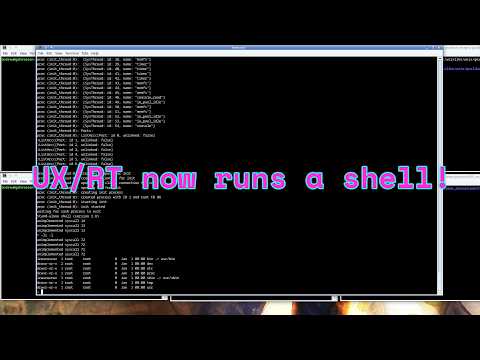
I have also fixed the jumpy pointer with OpenGL enabled in QEMU, fixed an issue where the lite edition would incorrectly try to use a local repository when downloading installations if updates on startup were disabled, and added an option in the launcher settings window to disable nested virtualization, which apparently causes QEMU instances running within the VM to hang on certain Windows hosts with AMD processors; all of these fixes are also available through the launcher. I've enabled 4-way SMP for the host QEMU as well; for some reason I forgot to enable it before. If you already downloaded a previous version, you can enable SMP by extracting the external update zip file over the folder from the previous version. I think that's about everything as far as this update is concerned. In other news, I've started on my first major emulator development project since starting a blog and YouTube channel and releasing the OS museum, and will make a video and blog post on it soon. I also am continuing to work on UX/RT and should have it running user processes soon as well.
Amazing work, Andrew. What a labour of love. Don't suppose you managed to get Christopher Strachey's Draughts working correctly on the Ferranti Mk.1 OS emulator? Not sure if there's anything out there that works properly right now.
Would love one day to find the NPL MAVIS Mk.II emulator too. There was an amazing tape recover to get the games partially working recently from the StarDot forums, but no OS has turned up yet: https://www.oneswitch.org.uk/page/016




Amazing work, Andrew. What a labour of love. Don't suppose you managed to get Christopher Strachey's Draughts working correctly on the Ferranti Mk.1 OS emulator? Not sure if there's anything out there that works properly right now.
ReplyDeleteWould love one day to find the NPL MAVIS Mk.II emulator too. There was an amazing tape recover to get the games partially working recently from the StarDot forums, but no OS has turned up yet: https://www.oneswitch.org.uk/page/016
Keep up the great work.